
Your account
Important information about how to manage your account and paying for the services you have with us.
About your bill
Recurring bills are issued in the first week of each month and they are sent by email to the Primary Account Holder and any other contacts you have nominated to receive invoices.
Our bills are designed to be viewed online in your web browser. From your web browser bills can be printed, saved or forward to someone else.
Your bill is categorised into the following sections:
- Account activity;
- Plans & usage;
- Usage detail; and
- Other services
Receiving your bill
When your bill arrives in your email inbox the covering email will look like the example below:
Sender: Univox Accounts
Subject: Monthly Invoice – (date)
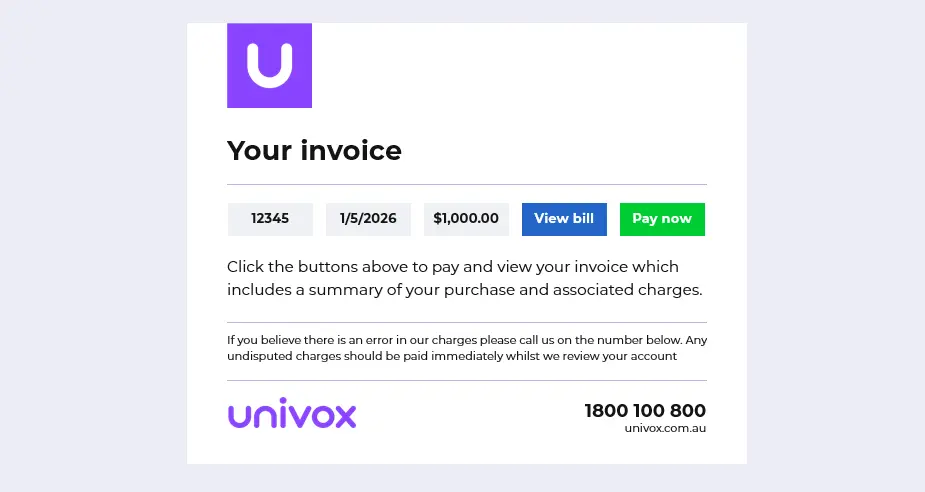
Your bill may take several seconds to appear depending on the amount of data contained in your bill, the larger the bill the longer it will take to open in your browser.
Where to find important information
Please refer to the image below:
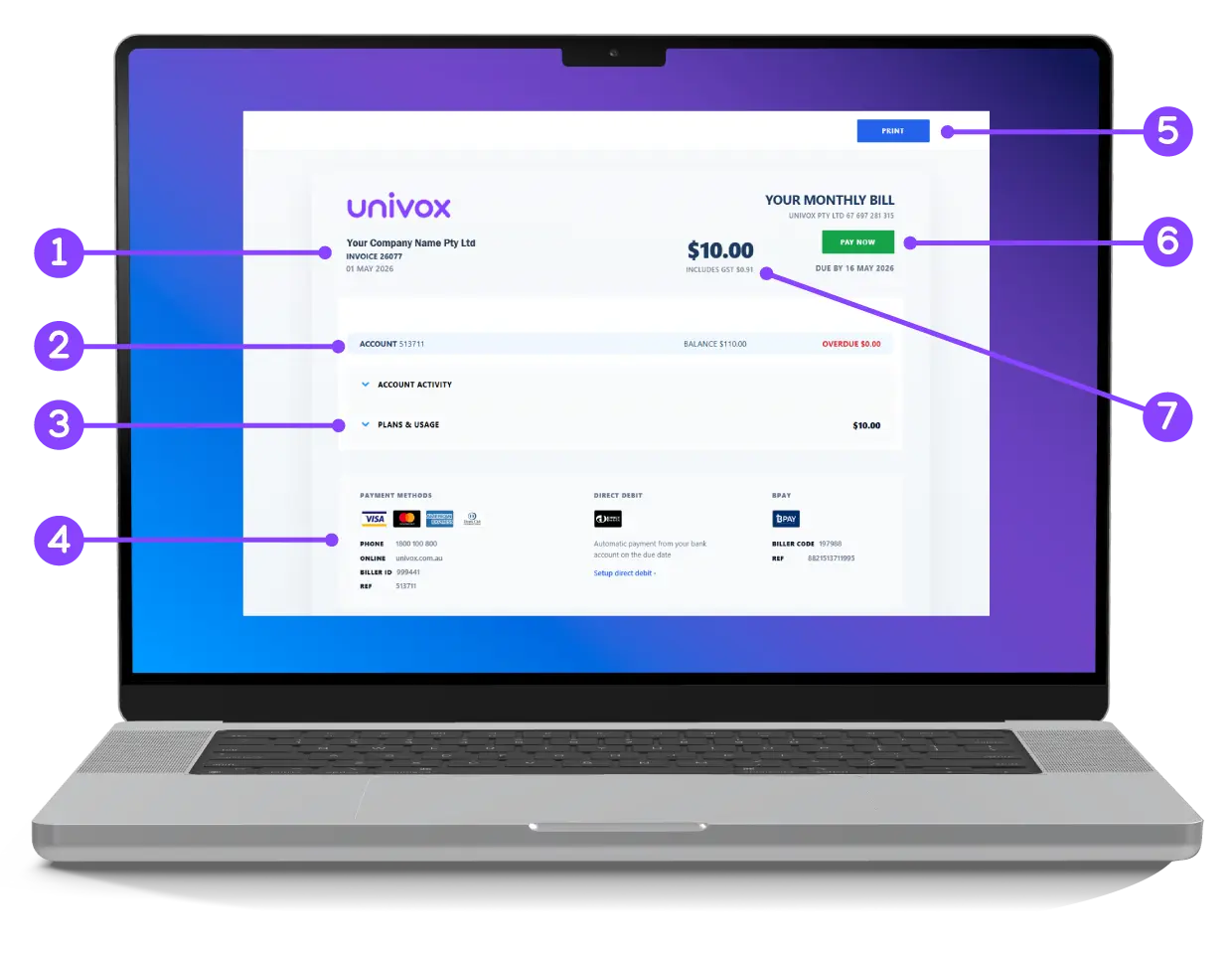
- The invoice number
- Your account number
- Expand these sections for a detailed view
- Payment methods
- Click to print the bill
- Click to pay your bill by VISA, MasterCard, AMEX and Diners cards
- The total amount of this bill
Clicking any summary section, content box, heading or product icon will reveal detailed information and usage charges.
Payment methods
You can pay your UNIVOX bill by BPay, Direct Debit, or credit/debit card via our website by clicking the “Pay a bill” button in the top right corner, or by calling 1800 100 800 and pressing option 1. Your BPay and Pay by Phone details are located at the bottom of your invoice on page 1. Payment is due within 14 days of the invoice issue date.
By phone
Call 1800 100 800 (option 1) any time to pay by Visa, MasterCard, AMEX or Diners. Your biller ID and reference number are located at the bottom of your invoice cover page.

Direct Debit
Use Direct Debit to debit your bank account on the due date. To setup Direct Debit please complete and submit the Direct Debit Request (DDR) form on this website
Online
To pay your bill by Visa, MasterCard, AMEX or Diners go to: Pay-a-bill. Your Univox biller ID and reference number are located at the bottom of your invoice.
BPay
Use BPAY to pay from your bank account or credit card. Your Univox BPAY biller code and reference number are located at the bottom of your invoice cover page.